Order rejections
When an order can’t be placed, Nocterm shows the reason as a toast - a short message that slides in and fades out. Most rejections are quick fixes: a size or price that doesn’t meet the market’s rules, not enough balance, or a limit you’ve set on yourself. This page lists the common reasons and how to clear each one.
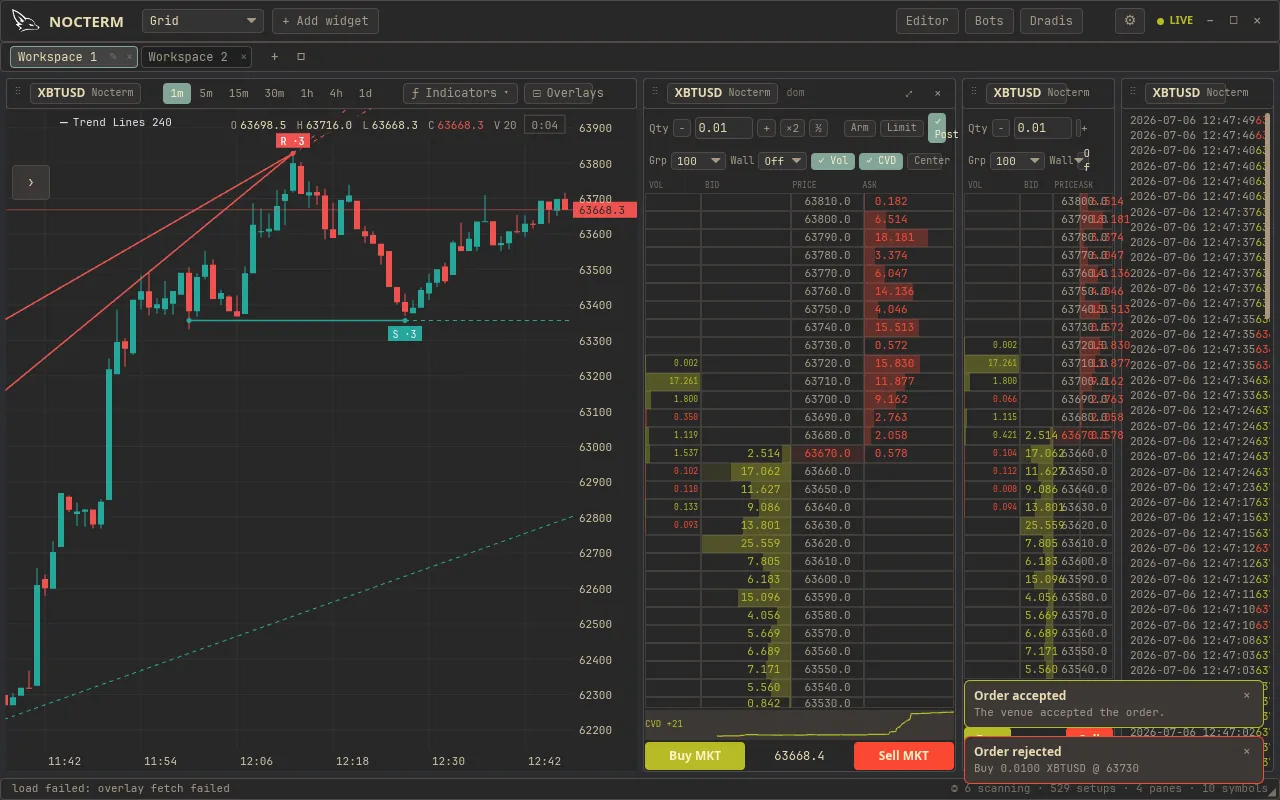
Common reasons and fixes
Section titled “Common reasons and fixes”| Reason | What it means | Fix |
|---|---|---|
| Size below minimum | Your order size is smaller than the market allows | Increase the size to at least the market minimum |
| Size above maximum | Your order size exceeds the allowed maximum | Reduce the size, or split it into smaller orders |
| Price off the tick / step | Your limit price isn’t a valid increment for this market | Round the price to the nearest valid tick |
| Insufficient balance | You don’t have enough to cover the order | Reduce the size, or free up balance |
| Post-only would cross | Your post-only limit would take liquidity | Move the price passive of the book, or drop post-only |
| FOK: insufficient visible size | Fill-or-kill found less depth than your size inside the limit | Reduce the size, widen the limit, or use IOC |
| IOC remainder cancelled | Not a rejection - the unfilled part of an IOC was cancelled by design | Nothing; the filled slice stands |
| TIF unsupported on venue | The live venue doesn’t implement that time-in-force | See the venue support table on the time-in-force page |
| Prop wallet closed | A prop-sim limit was breached and the wallet is latched closed | See prop-sim limits below |
| Exchange-side reason | The exchange rejected the live order | Read the toast text and adjust accordingly |
Size and price rules
Section titled “Size and price rules”Every market has a minimum and maximum order size and a tick (price step) and step size that orders must line up with. If your size or price doesn’t fit, the order is rejected before it goes anywhere. These are the easiest rejections to clear - nudge the size or round the price to a valid increment and resend.
Insufficient balance
Section titled “Insufficient balance”If the order would cost more than you have available, it’s rejected. Lower the size or free up balance and try again. In paper mode this is your simulated balance; in live mode it’s your actual exchange balance.
Time-in-force rejections
Section titled “Time-in-force rejections”IOC, FOK, and post-only orders reject by design when the market can’t satisfy them: post-only refuses to take liquidity, FOK refuses to partially fill, and an IOC’s unfilled remainder is cancelled with the filled part kept. These aren’t errors to fix so much as the mode doing its job - reread what the mode promises before resending. On live venues, a mode the venue doesn’t implement (e.g. FOK on Kraken, post-only on Alpaca) is rejected up front rather than silently downgraded.
Prop wallet closed
Section titled “Prop wallet closed”If you’re running under prop-sim drawdown limits and you breach one, the wallet latches closed. While it’s closed, new orders are rejected with a prop-wallet message regardless of size, price, or balance - this is a deliberate stop, not a market error. The wallet reopens only on reset.
Exchange-side rejections (live only)
Section titled “Exchange-side rejections (live only)”In live mode the exchange can reject an order for its own reasons even after it passes Nocterm’s checks - market state, account restrictions, or rules specific to that venue. The toast carries the exchange’s reason text; read it and adjust the order accordingly.
Related
Section titled “Related”- Prop-sim limits - what closes the wallet and how to reset.
- Time-in-force - what IOC/FOK/post-only promise.