Right-click chart entry
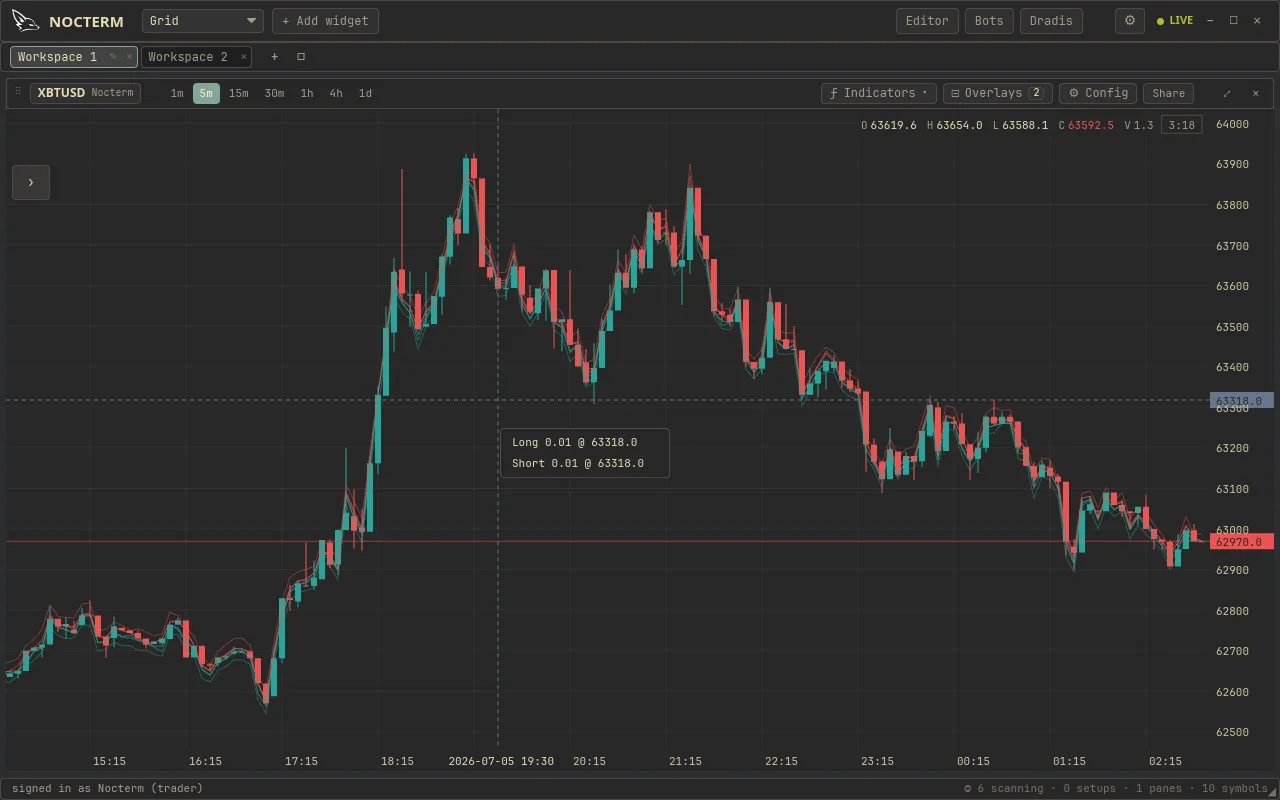
Right-click entry is a quick way to get into a trade: right-click anywhere on the chart and choose Long or Short to place an order at that price. It uses your chart-configured order size and the panel’s current paper/live mode, and snaps the price to the market’s tick and lot step.
Overview
Section titled “Overview”Where you click sets the price. Right-clicking opens a small menu with Long and Short; picking one submits an order at that level, sized by the order size you have configured for the chart panel. The price you clicked is snapped to the nearest valid tick, and the size to the lot step, so the order is always exchange-valid.
Because it inherits the panel’s paper/live mode, the same right-click is a paper order on a paper panel and a real order on a live one - no separate ticket to fill in.
How to use
Section titled “How to use”-
Set your order size for the chart panel (this is the size every right-click uses).
-
Confirm the panel’s paper/live mode is what you want.
-
Right-click the chart at the price you want to enter.
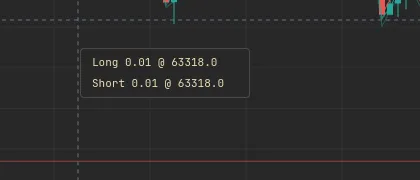
Right-clicking the chart to open the Long / Short menu at a price level -
Choose Long or Short. The order goes in at the snapped price.
Auto-brackets
Section titled “Auto-brackets”The chart options panel has a Bracket section: switch it On and every right-click
order carries a take-profit and stop-loss computed from the entry price - no dragging
afterwards. The offsets are yours to set, in percent or basis points (toggle the unit
next to the switch): with TP 1 and SL 0.5 in percent, a long entered at 64,000 rests
with a target at 64,640 and a stop at 63,680; a short mirrors them. Leave an offset empty
(or zero) to attach only the other leg.
id: trading-right-click-entry-bracketThe Bracket section in the chart options: on/off, % or bps, and the TP / SL offsets
suggested 640x480The offsets live with the chart panel and persist with your workspace, so a scalping chart can run tight bps brackets while a swing chart uses wider percent ones. Once the entry fills, the legs are ordinary protective orders - drag them on the chart like any other bracket.
Time-in-force
Section titled “Time-in-force”The chart options panel has a Time in Force section (GTC / IOC / FOK / POST) that every
right-click order uses. When it’s anything other than GTC, the menu says so on the entry
itself - e.g. Long 0.01 @ 42000 (POST) - because a non-default mode changes what the click
does: IOC/FOK may not rest, and POST may reject rather than take. See
time-in-force.
Related
Section titled “Related”- The trade ticket - full control over size, type, and brackets.
- DOM ladder - click-to-trade on a depth ladder.
- Time-in-force - the chart options TIF the right-click uses.
- Trading modes overview - what the paper/live mode means.
- AI Coach - a pre-trade sanity check on every manual order.