Paper trading & account setup
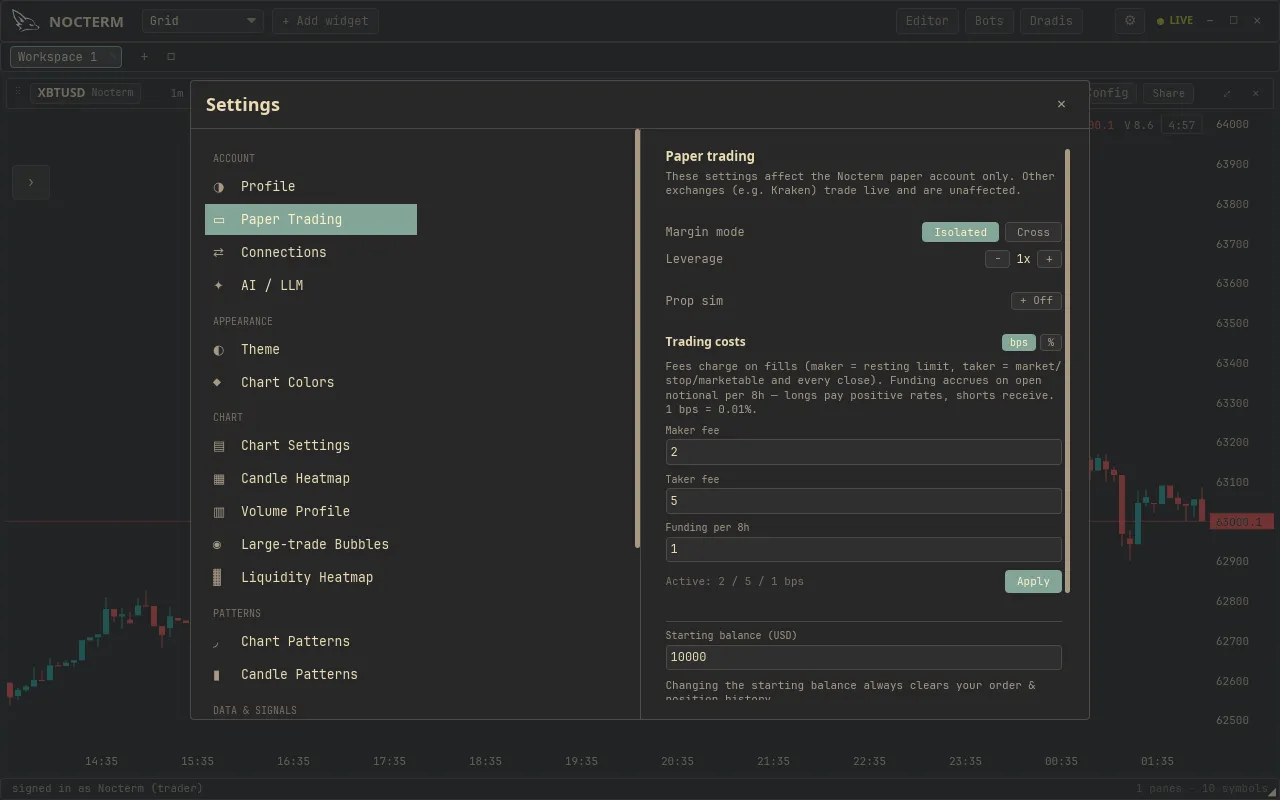
The paper account is a fully simulated balance you can trade as hard as you like with no real-money risk. It runs in the app on any venue: the Nocterm venue is always paper, and any connected exchange can be flipped to paper with its Local paper toggle. Set a starting balance, place market and limit orders with optional stop/target brackets, watch your PnL mark to market in real time, and reset whenever you want a clean slate.
Overview
Section titled “Overview”Paper orders fill against live market prices through the built-in simulator, so the experience matches live trading - the same trade ticket, the same brackets, the same position and order tabs - only the money is simulated. Open positions are marked to the current price, so realized and unrealized PnL update tick by tick, and the account charges simulated maker/taker fees and funding at realistic default rates so cost drag is part of the rehearsal.
The account starts at a configurable balance (default $1,000). A reset wipes positions and history and restores that starting balance, which makes paper the natural place to rehearse a strategy before risking anything real.
The paper account lives in the app and persists between sessions - positions, orders, balance, and lifetime costs are all still there next time you open Nocterm. It also catches up on what it missed: when you reopen the app, any open position is replayed against the price history since you last had it running, so an overnight stop, target, or liquidation still resolves (at one-minute granularity) rather than waiting for you to be watching.
How to use
Section titled “How to use”-
Open Settings ▸ Paper Trading and set your Starting balance (USD).
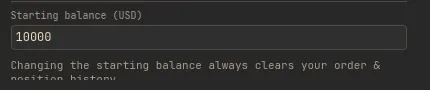
Setting the starting balance in Paper Trading settings -
Point your panel at a paper venue - the Nocterm venue, or any exchange with Local paper on - then place orders from the trade ticket, the chart, or the DOM.
-
Watch live mark-to-market PnL in the Positions tab of the bottom bar.
-
To start over, use Save & reset / Reset paper account - this clears everything and restores the starting balance.
What you can do
Section titled “What you can do”| Action | How |
|---|---|
| Set starting balance | Settings ▸ Paper Trading ▸ Reset |
| Place orders | Trade ticket, right-click chart, or DOM ladder |
| Attach brackets | SL/TP on the ticket, or drag on the chart |
| Track PnL | Positions tab, marked to live price |
| Start fresh | Reset paper account |
Related
Section titled “Related”- Prop-sim risk limits - add drawdown floors to the paper account.
- The trade ticket - place orders with size and brackets.
- Managing positions & orders - close positions and cancel orders.