Managing positions & orders
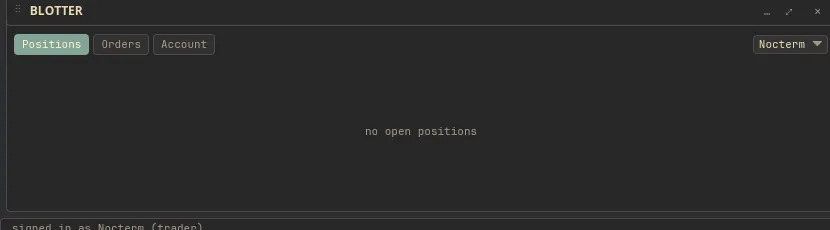
The bottom bar is mission control for everything you have on: your balances, open positions, working orders, and trade history, each on its own tab. Click a position to close it at market or right-click to edit its brackets on the chart; click a working order to cancel it. In live mode an extra Audit Log tab records gateway events.
Overview
Section titled “Overview”The tabs split your account into what you hold and what you have working. Balances shows funds, Positions lists open trades marked to live price, Open Orders lists orders still working, and Trade History is the record of what filled. Live mode adds an Audit Log of order events, so you can trace exactly what the venue did with each order.
Most management happens with a click. Click a position to flatten it at market; right-click to jump to its brackets on the chart. Click a working order to cancel it.
How to use
Section titled “How to use”-
Open the bottom bar and pick a tab.

Switching between the bottom-bar tabs -
In Positions, click a row to close that position at market, or right-click to edit its stop and target on the chart.
-
In Open Orders, click an order to cancel it.
-
Review fills in Trade History, and on a live panel, check the Audit Log for gateway events.
The tabs
Section titled “The tabs”| Tab | What it shows | Mode |
|---|---|---|
| Balances | Account funds | All |
| Positions | Open trades, marked to live price | All |
| Open Orders | Working orders | All |
| Trade History | Filled trades | All |
| Audit Log | Gateway events | Live only |
Actions
Section titled “Actions”| Action | Result |
|---|---|
| Click a position | Close it at market |
| 25 / 50 / 75 buttons on a position | Close that fraction at market - the realized slice becomes its own closed row, the rest keeps working |
| Right-click a position | Edit its stop / target on the chart |
| Drag an order’s price line on the chart | Amend the order in place (same order id, reserve adjusted) - no cancel-and-replace |
| Click an open order | Cancel it |
Partial closes
Section titled “Partial closes”The 25 / 50 / 75 buttons beside a position close that fraction at market. The realized slice is split off as its own closed row - with its own realized PnL - while the open row shrinks and keeps its identity, stop, and target. Anything short of 100% goes through these; the ✕ closes the whole position.
Amending a working order
Section titled “Amending a working order”Drag an order’s price line on the chart to reprice it in place: the venue modifies the order rather than cancel-and-replacing it, so the order keeps its id, its time priority story, and its reserve is adjusted by the difference. A resting post-only order refuses an amendment that would make it cross.
Related
Section titled “Related”- Brackets & drag-to-set TP/SL - edit a position’s stop and target.
- The trade ticket - open the positions you manage here.
- Live trading - where the Audit Log comes from.